 MyRingRing
Everything your business phone should do.
Calls, texts, voicemail and a waiting line for every business number you run, in your browser and on your phone. Here’s all of it.
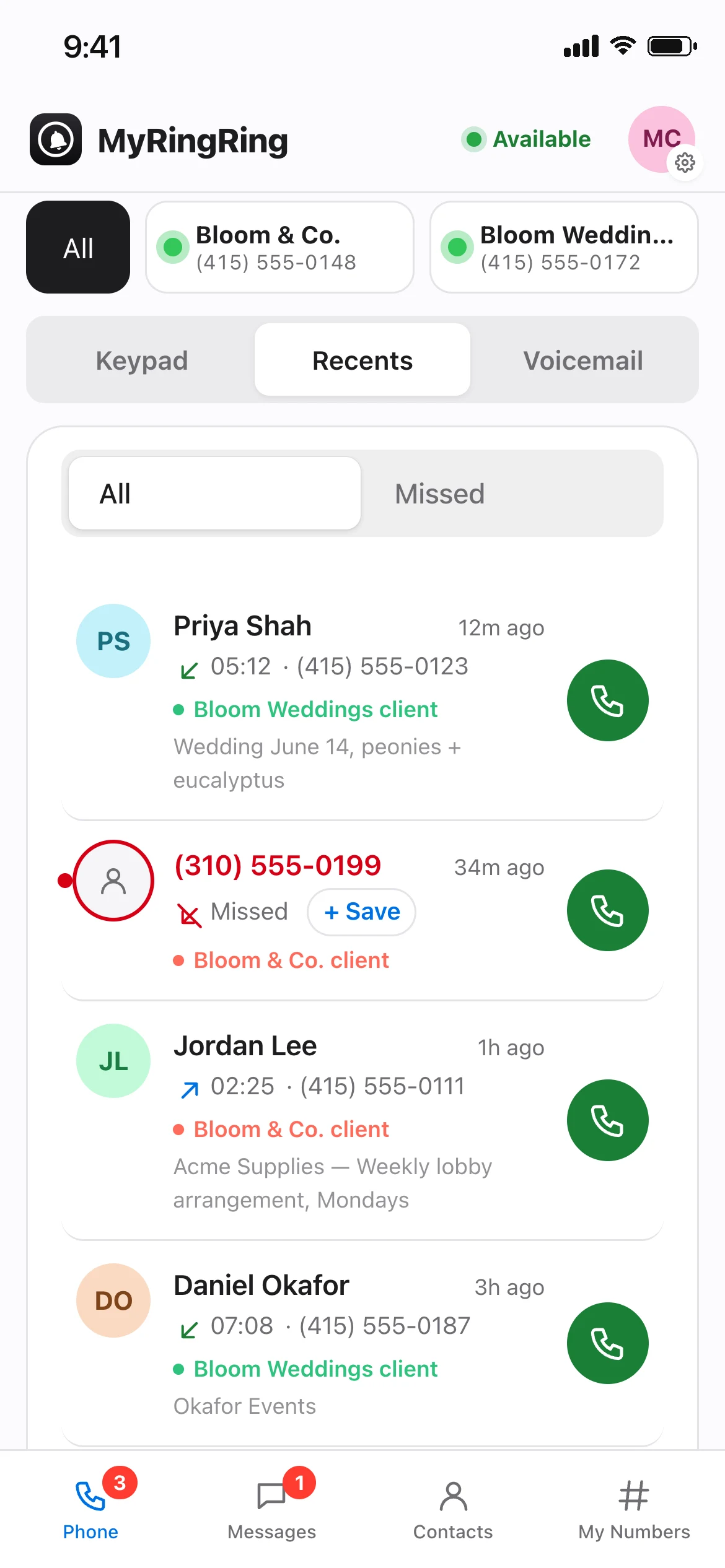
A dialer that feels like your phone
A big keypad with touch tones, your business number as caller ID, and recent calls you can call back with one tap. Calls back go out from the number the customer called.
Always clear which line you’re on
The keypad says “Calling from <business>” in that number’s colour. Pick a number first; with All selected the keypad waits for you to choose.
In-call controls
Mute, hold and an in-call keypad for menus and extensions.
Recents with filters
Missed calls stay red, filter by business number, and badges clear once you’ve seen them.
Call details & notes
Open any call to play its recording, add notes, or save the caller as a contact.
Call recording
On by default with a “This call may be recorded” announcement for callers. Turn it off any time.
US & Canada
Unlimited calls to US and Canadian numbers on every plan, with premium-rate and international numbers blocked.
Run more than one business from one app
Each number gets its own business name, colour, greeting and hours. A bar at the top of Phone, Messages and Contacts shows All plus a card for each number, and your pick is remembered everywhere.
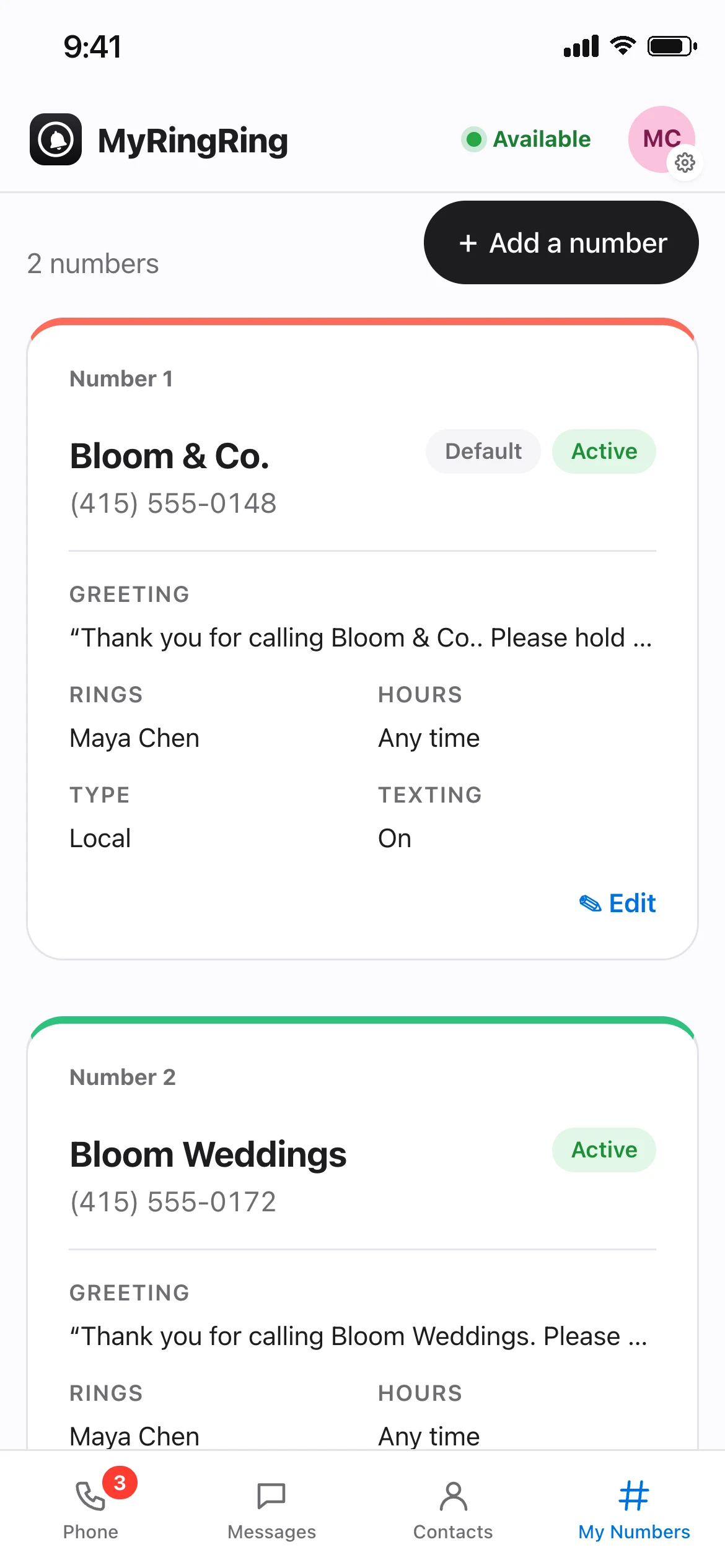
- Live: ringing you now
- Closed, connecting, or Do not disturb
- Rings a teammate
- Offline: tap to reconnect
“Flower Shop client”
Calls, voicemails and chats are labelled with the business the customer contacted, in its colour.
Local or toll-free
Pick a new US or Canadian number. It’s ready in about a minute.
Ready checklist
Each number’s settings show a status card and a “Ready / Needs attention” checklist with one-tap fixes.
Lots of numbers
Three or more numbers fold into one dropdown card, so the screen never gets crowded.
Callers wait. They don’t hang up.
When everyone’s busy, callers hear your greeting and hold music while MyRingRing keeps ringing you or your team. No answer in the time you choose? They leave a voicemail.
Your greeting
Write your own, or use the one we make from your business name. Or turn it off and ring straight through.
Business hours
Per number: 24/7, your company hours, or custom hours. After hours, callers hear when you’re open and go to voicemail.
Forward to my mobile
Away from the app? Send a number’s calls to your cell phone instead.
Do not disturb
Set yourself to DND and calls skip you without bothering your team.
Ring the right person
Assign each number to a teammate, so it rings whoever looks after that business.
Rings everywhere
In any open tab, and on iPhone and Android with the native call screen, even when the app is closed.
Voicemail with folders, like email
Every voicemail lands in your Inbox. Keep it, file it, or throw it away, and play it from anywhere.
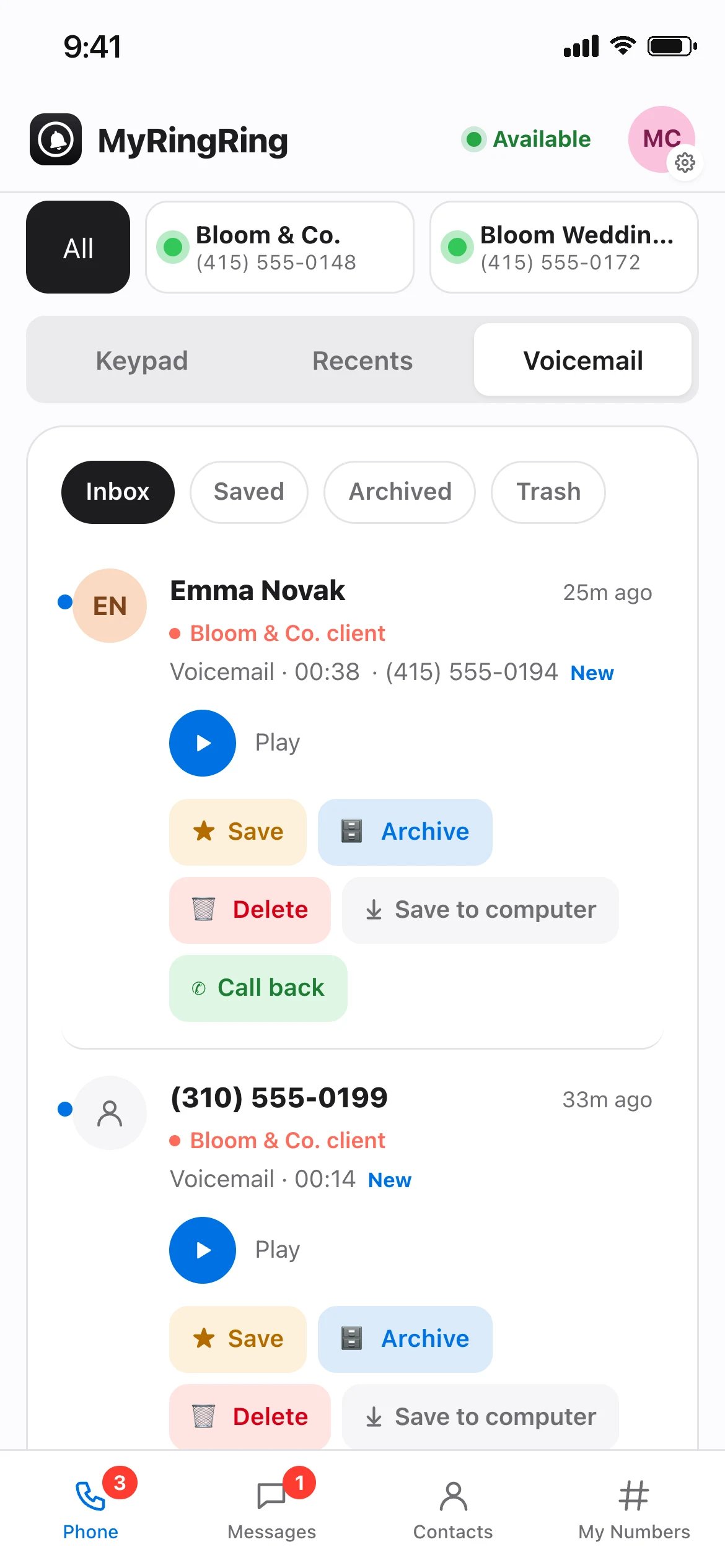
Inbox, Saved, Archived
Save the ones that matter, archive the rest. New voicemails are clearly marked.
Trash with a safety net
Deleted voicemails sit in Trash for 10 days with a countdown. Restore them, or delete now.
Save to your computer
Download a voicemail, or share it from your phone.
Notifications
Get notified on your phone about new voicemails, missed calls and texts.
Texting your customers already use
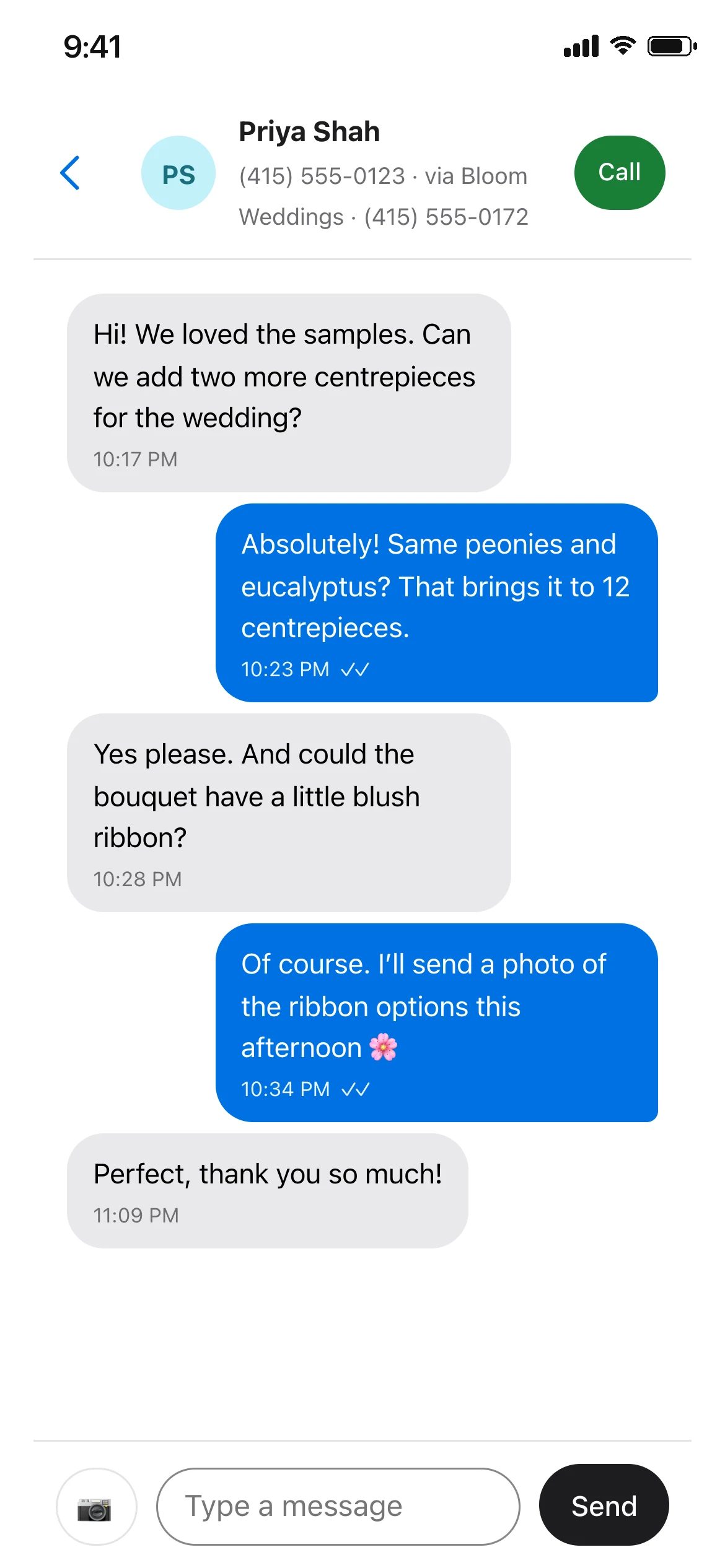
Send and receive texts and photos from your business number in a live, threaded inbox that updates as messages arrive.
Photos
Attach a photo, preview it, add a caption, then send. Received photos show in the chat; tap for full screen.
Delivery ticks
Sending, sent, delivered or not delivered on every message, with tap to retry.
Shared inbox
Your team sees the same conversations, and an admin can assign a chat to a teammate.
Search & new message
Find any conversation, or start one to any US or Canadian number.
STOP handled for you
Opt-outs are honoured automatically.
Carrier approval
Texting from a US number needs a one-time carrier registration. We do the paperwork with you.
Know who’s calling
Save callers with a name, company, email and notes. Contacts belong to one business number or all of them, so each business keeps its own customer list.
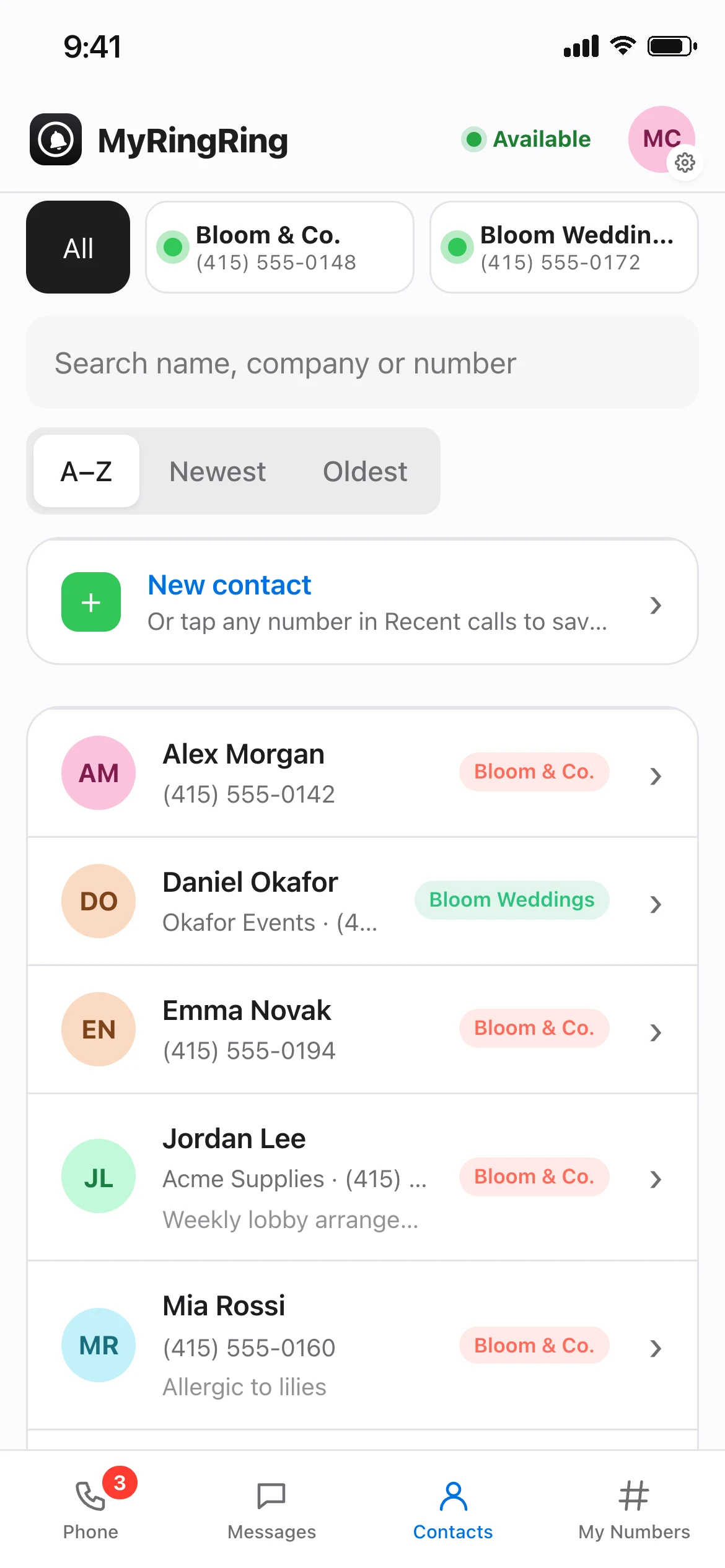
Save from anywhere
Tap a number in a call or chat to save it to that business line.
History
See every call and text with a contact in one place.
Call, Text, Email
One tap from a contact card.
Sort & filter
A–Z, newest or oldest, filtered by business number.
One number, your whole team
Invite people by email. They sign in with a code, no password, and see the numbers you give them.
Roles
Owner, admin and member, so only the right people change numbers, billing and settings.
Availability
Everyone sets themselves available or Do not disturb.
Activity log
A record of who on your team changed what, and when.
Several workspaces
Belong to more than one business account and switch between them.
Your customer conversations stay between you and them.
Built for owners who don’t have an IT department. Privacy is on from day one, with nothing to configure.
How we keep your business private ›- Only your teamCalls, texts, voicemails and recordings are visible only to people you invite, by role.
- Never sold, never used for adsWe don’t sell your data or use your conversations for advertising.
- Private recordingsKept in private storage, never on public links.
- No passwords to stealSign in with a one-time code sent to your email.
Clear bills, no surprises
Pick a plan when you sign up. You always see your next bill amount and date, and every invoice is in the app.
Card payments by Stripe
Your card number goes straight to Stripe. We only keep the brand, last 4 digits and expiry.
Emailed receipts
A receipt for every charge, and invoices you can open any time.
Fair proration
Add a number partway through a month and pay only for the days left.
Monthly or yearly
Yearly saves 20%. No contract either way. See pricing
Give your business a phone number customers can reach.
Plans from $29/month. No contract, cancel any time.
Get started